![Locable Logo 3a3a3a Gray.png]](https://help.locable.com/hs-fs/hubfs/Locable%20Logo%203a3a3a%20Gray.png?height=50&name=Locable%20Logo%203a3a3a%20Gray.png)
Available for the Administrative Efficiency Core on the Locable Marketing Platform
Need to bill a member or customer for a one-time charge? You can create and send a one-off invoice directly from Membership Management.
Create a One-Off Invoice
- Navigate to CRM > Memberships and open the appropriate membership record.
- Scroll down to the Invoices section.
- Click the 'New Invoice' button.
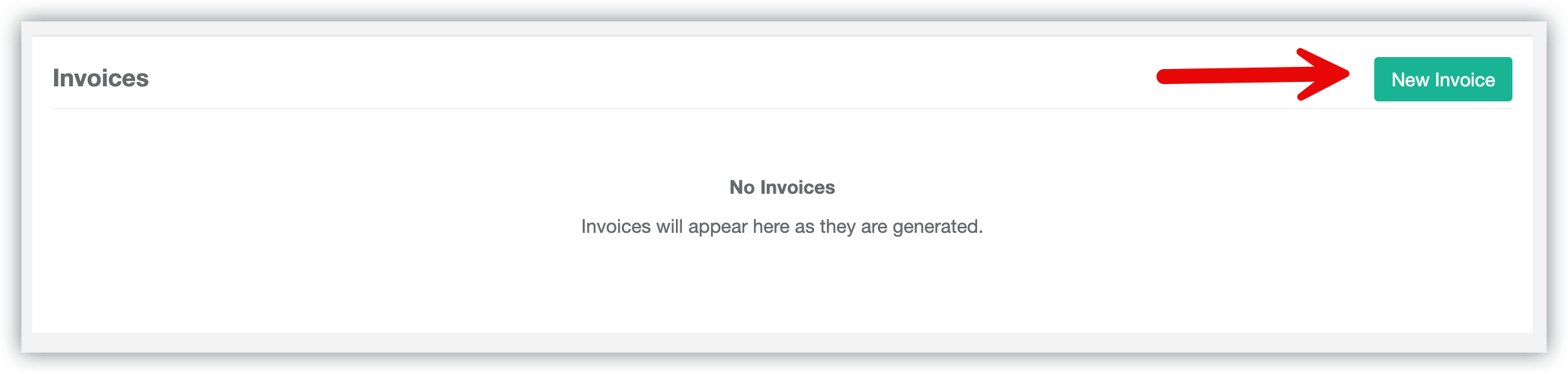
Next, enter the invoice details:
- Select the Billing Contact (or click to use the Membership Billing Contact).
- Enter the Product Name, Quantity and Price details, along with a Product Description.
- You may add multiple line items if necessary.
- Enter the Invoice Due Date.
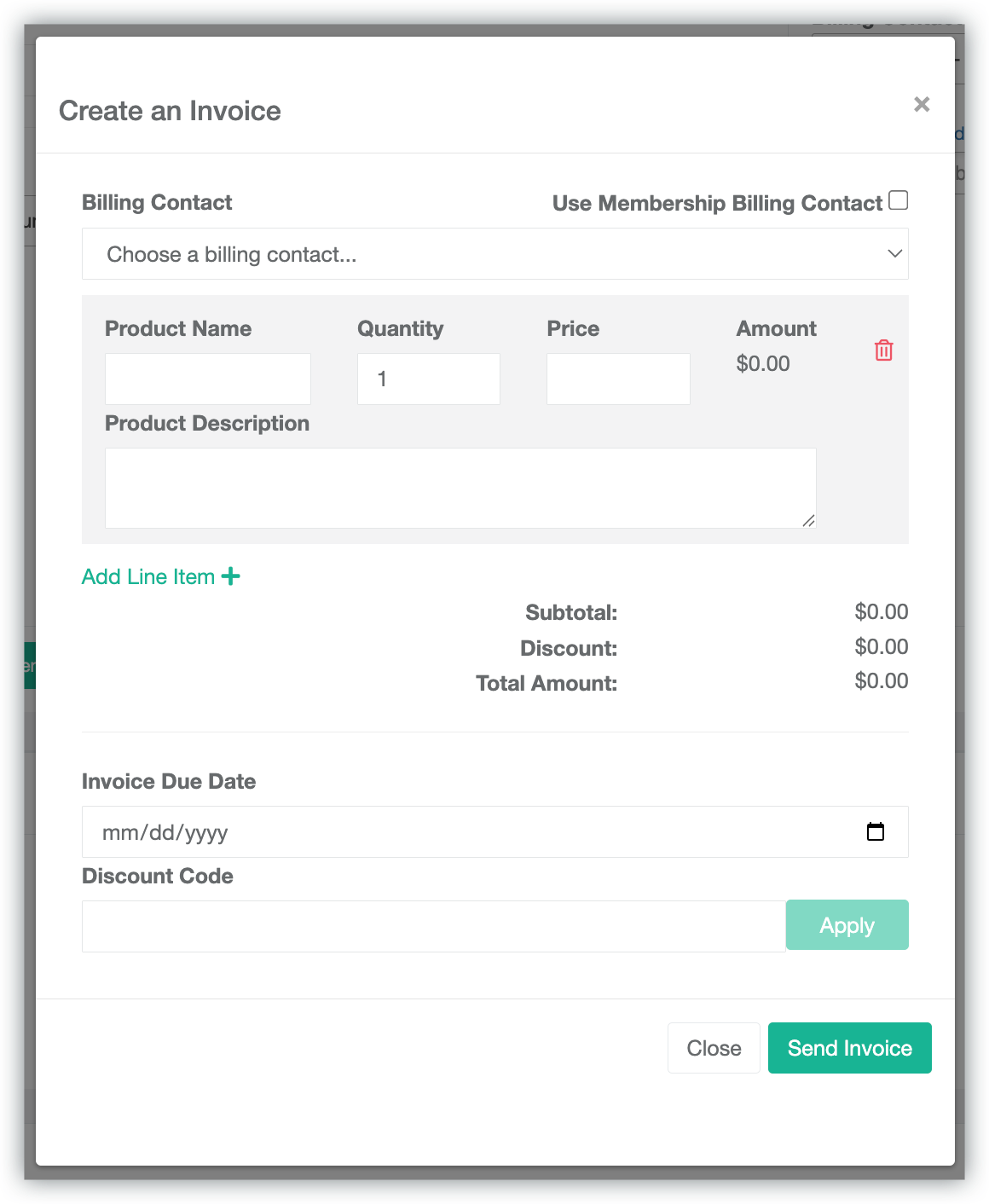
Once you've completed the input, click 'Send Invoice'.
NOTE: The Product Name is used in your Membership and Order Reports. If you are creating an invoice for a specific membership plan, use the exact same Product Name as the membership plan name. This ensures all related purchases and invoices are grouped together correctly in your reports.
Important Notes
- One-off invoices are not tied to a membership renewal schedule.
- Recipients can pay online through the Stripe invoice link they will receive, or they can download and print their invoice and pay via check or cash.